

How to redeem PlayStation Network Card purchased from card4games ?
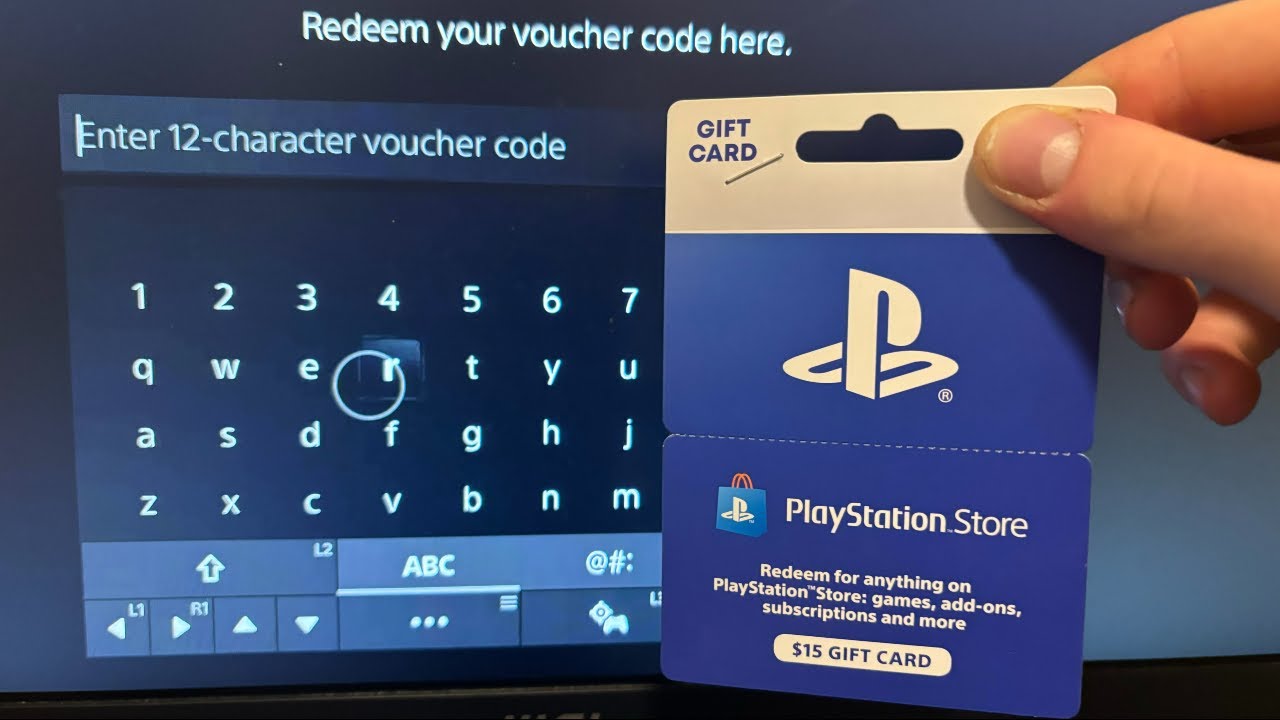
Top up your PlayStation® Network wallet with card4games to purchase thousands of exclusive games, add-on content, movies, music, and more through PlayStation®Store and Sony Entertainment Network Store, accessible with your PS5, PS4, PS3 or PSP, or PC. Wallet funds can then be used to purchase content and services from PlayStation™Store. follow these simple steps to redeem your code and add funds to your PSN wallet.
🔹 Redeem on Web (PC & Mobile)
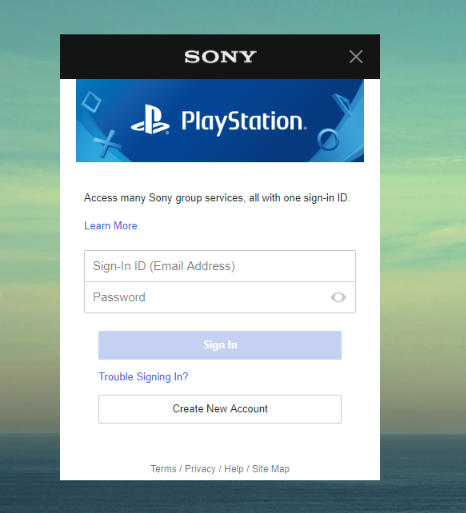
1. Visit the PlayStation Store website. then click “sign in”

1. Sign in with your PlayStation Network account.
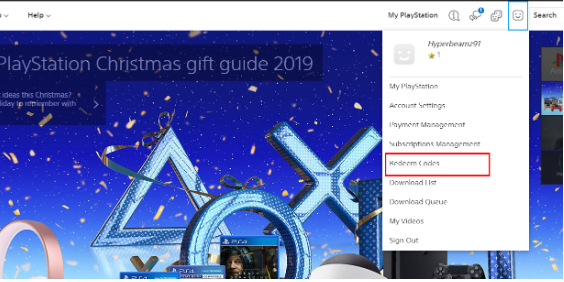
1. Click on your profile and select Redeem Codes.
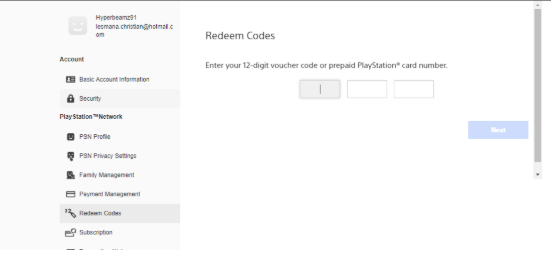
2. Enter the 12-digit code and press “next” to complete.
3. Once the transaction is completed, you will receive the funds directly in the account.
🔹 Redeem on PlayStation Console (PS5/PS4)
· Turn on your PlayStation and sign in to your PSN account.
· Go to PlayStation Store from the main menu.
· Scroll down and select Redeem Codes.
· Enter the 12-digit code you received from Card4Games.
· Click Confirm to add the funds or content to your account.
🔹 Redeem via PlayStation App
· Open the PlayStation App on your phone.
· Tap on your profile icon and go to Redeem Codes.
· Enter the code and tap Redeem to complete the process.
🔹 Important Notes
✅ Make sure your account region matches the PSN Card region.
✅ Once redeemed, funds cannot be transferred to another account.
✅ If you encounter issues, contact PlayStation Support.
Enjoy a seamless gaming experience with your PlayStation Network Card. Get the latest games, add-ons, and subscriptions at Card4Games today
Thank You
You may visit the Card4games Support for quick answers and guides.
Need Support? Contact our Customer Support sales@card4games.com