How to redeem PlayStation Network Card purchased from card4games ?
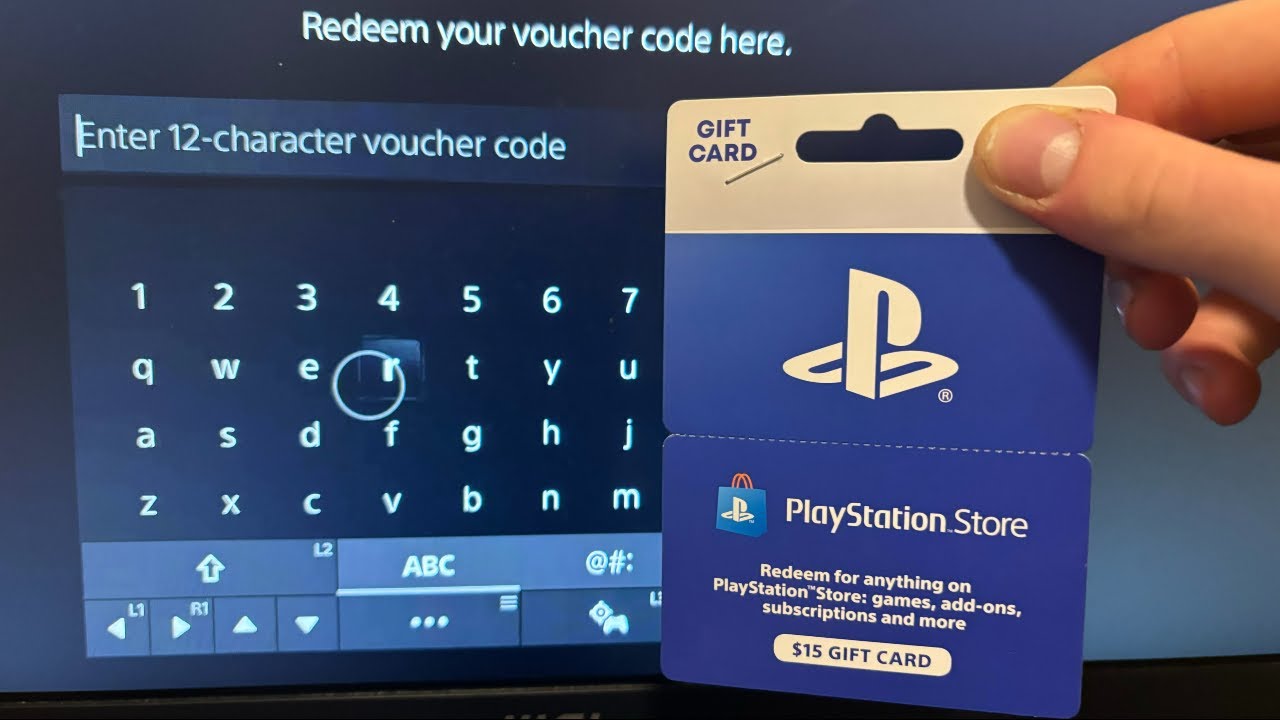

Top up your PlayStation® Network wallet with card4games to purchase thousands of exclusive games, add-on content, movies, music, and more through PlayStation®Store and Sony Entertainment Network Store, accessible with your PS5, PS4, PS3 or PSP, or PC. Wallet funds can then be used to purchase content and services from PlayStation™Store. follow these simple steps to redeem your code and add funds to your PSN wallet.

🔹 Redeem on Web (PC & Mobile)

1.      Visit the PlayStation Store website. then click “sign in”


1.   Sign in with your PlayStation Network account.


1.      Click on your profile and select Redeem Codes.


2.      Enter the 12-digit code and press “next” to complete.


3.      Once the transaction is completed, you will receive the funds directly in the account.

🔹 Redeem on PlayStation Console (PS5/PS4)

·         Turn on your PlayStation and sign in to your PSN account.

·         Go to PlayStation Store from the main menu.

·         Scroll down and select Redeem Codes.

·         Enter the 12-digit code you received from Card4Games.

·         Click Confirm to add the funds or content to your account.

🔹 Redeem via PlayStation App

·         Open the PlayStation App on your phone.

·         Tap on your profile icon and go to Redeem Codes.

·         Enter the code and tap Redeem to complete the process.

🔹 Important Notes

 Make sure your account region matches the PSN Card region.
 Once redeemed, funds cannot be transferred to another account.
 If you encounter issues, contact PlayStation Support.

Enjoy a seamless gaming experience with your PlayStation Network Card. Get the latest games, add-ons, and subscriptions at Card4Games today


Thank You

You may visit the Card4games Support for quick answers and guides.

Need Support? Contact our Customer Support sales@card4games.com